Ringtones for Android 2026
- 4.4
- Rating
- 100.00K
- Installs
- Free
- Price

 Analysis by App-foxy
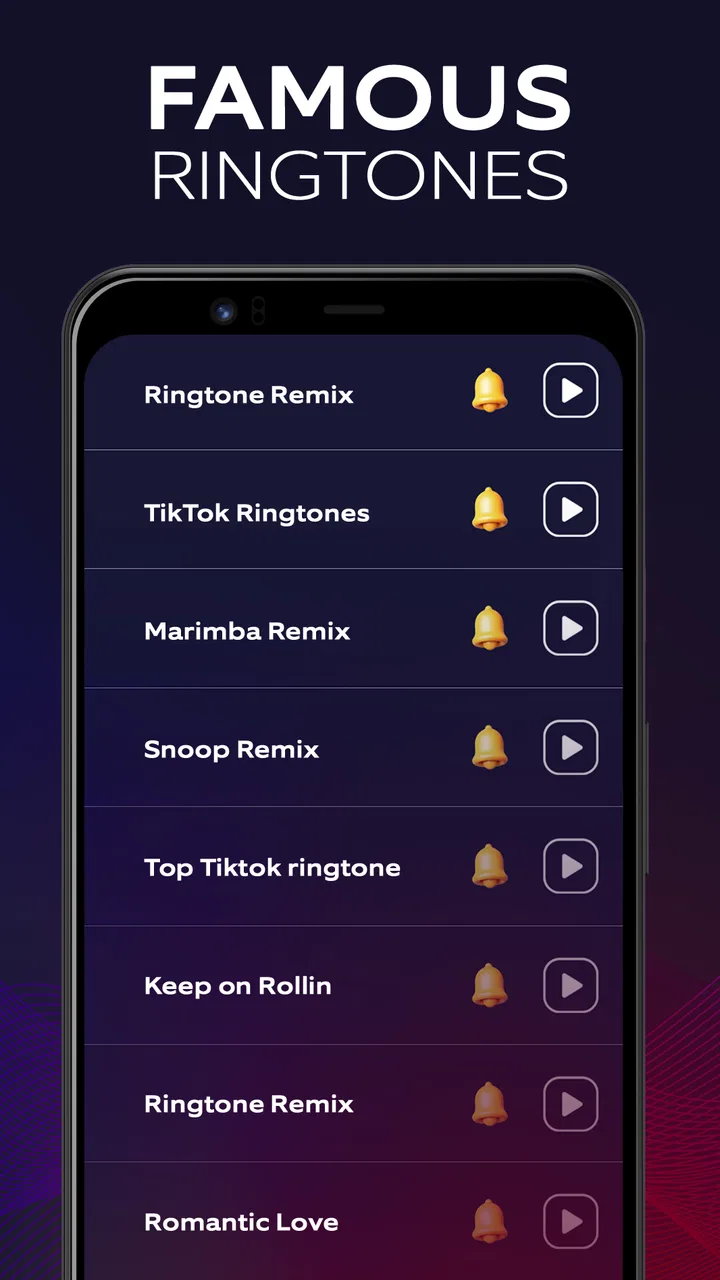
I approached Ringtones for Android 2026 as a small, practical library rather than a full personalization suite. Its purpose is straightforward: help me browse ringtone choices and pick a sound for an Android phone. That narrow focus is part of its appeal. I did not have to learn a complicated editor or organize audio files manually before trying to find something usable.
The app comes from AggyApps and sits in the Libraries & Demo section, which is a fair description of the experience. It is free, rated for Everyone, and supports devices running Android 7.0 or later. Its current version is 15.0, while the app itself was released on Dec 4, 2018. Those details make it accessible to people using older compatible phones as well as more recent Android devices.
Its public reception is reasonably encouraging: the app has a 4.4 average from around 2.4K ratings and has passed 100K installs. I would not treat those figures as proof that every phone will behave identically, but they do suggest that this is not an obscure experiment with no user history. My main question was whether the simple idea remains useful after the first few minutes, especially when I care about control, privacy, and avoiding unnecessary friction.
You May Also Like

 Blood Strike: 2.5 Anniversary
Blood Strike’s Loadouts Turn Every Drop Into a Tactical Gamble
A close look at Blood Strike’s custom loadouts: how fast access to signature weapons reshapes its battle royale rhythm, rewards preparation, and narrows the gap between fights.

 Pandora - Music & Podcasts
Pandora’s Music Is Easy to Start, but Harder to Recover
Pandora’s strength is its low-effort path from a seed to a station. Its weak spot is how much confidence it asks you to place in connection, setup, and quiet recovery.

 8 Ball Pool
 Is Built on Rivalries, Rematches, and Routine
A close look at the rivalries, rematches, shared routines, and unanswered safety questions that turn a quick pool match into a persistent mobile community.

 Samsung Music
’s Quiet Strength Is Playing What You Already Own
Its reach comes less from spectacle than from dependable access to a personal library. That simplicity is both the app’s strongest retention engine and its ceiling.

 AccuWeather: Weather Radar
AccuWeather Review: A Quick, Clear Forecast for Everyday Decisions
For everyday plans, the best forecast is the one you can understand quickly. AccuWeather makes rain timing, radar, and local conditions easy to act on, with a few trade-offs.

 Hill Climb Racing
Why Hill Climb Racing Still Turns Crashes Into One More Run
A tiny car, a bumpy hill and one more upgrade: Hill Climb Racing keeps resurfacing because its simple chaos makes every near-miss feel personal.
More From Our News Desk



How the ringtone library feels in everyday use
I find the library most useful when I approach it with a small, repeatable goal: compare a few sounds, choose one that suits the moment, and then verify the change in Android’s sound settings. That keeps browsing from turning into a string of random swaps. It also makes it easier to notice whether a tone is genuinely practical once the phone is across the room, which is where the next section’s settings checks matter.
A quick route from browsing to a usable sound
The strongest part of this app is its clear purpose. When I want to change a phone’s alert sound, I usually do not want a music-production tool. I want to listen to several options, recognize one that suits me, and use it without turning the task into a project. A focused ringtone library fits that situation better than a general audio editor or a large media app.
I can imagine using it after buying a phone, when the default sounds already feel too familiar. It also makes sense before a busy period when I need to distinguish calls from other notifications. I might choose a more noticeable tone for calls, then use a quieter option for ordinary alerts so that every small notification does not sound urgent.
The phrase “2026” in the name gives the app a current-facing identity, but I would judge it by the usefulness of the sounds and the ease of choosing them, not by the year in the title. A newer label does not automatically make a ringtone better. What matters is whether the selection gives me enough variety for my own habits and whether the app lets me make a decision without repeated dead ends.
The practical difference between a ringtone and a notification sound
One detail that is easy to overlook is the difference between a sound that works across a room and one that works for a short notification. A ringtone can be longer or more attention-grabbing, while a notification tone should usually be brief enough not to become irritating. I would listen with that distinction in mind instead of choosing the loudest preview simply because it stands out.
For a family phone, I would also think about recognition. A distinctive call sound can help identify an important incoming call when the phone is not in hand. On the other hand, an unusual tone may be embarrassing in a quiet office, classroom, or public transport. The app is most useful when I treat its library as a set of choices rather than assuming the most dramatic sound is the best one.
Where this app is more convenient than the usual alternatives
The usual alternatives are the sounds already included with Android, files copied from a computer, or broad personalization apps that combine wallpapers, themes, alerts, and other extras. Built-in sounds are convenient but can feel limited. Manual file transfers offer more control, yet they require finding compatible audio, placing it in the right location, and checking whether the phone recognizes it. A broad customization app may offer more categories, but it can also make a simple ringtone task feel crowded.
This app occupies the middle ground. It is more focused than a general customization platform and less technical than managing audio folders myself. That makes it a sensible first stop for someone who wants a ready-made choice. It is less compelling for a person who already owns a carefully organized collection of personal recordings or who wants to trim a song to a precise starting point.
The useful trade-off is simplicity versus fine control. I would choose this app when browsing matters more than editing. If I need exact duration, fade-ins, volume normalization, or a custom clip from a longer track, a dedicated audio editor is the better tool. Expecting a ringtone library to replace that kind of editor would lead to disappointment.
A realistic phone-change scenario
Consider someone setting up an older Android handset for a parent. The goal is not to create a complex theme; it is to make calls easy to notice and distinguish from message alerts. I would use the library to test a few clear, recognizable sounds, then check the result from another phone while the handset is on a table or in another room. That second test matters because a tone that sounds pleasant through the phone speaker may not be easy to notice in a noisy home.
I would also check the phone’s own sound settings after selecting a tone. Android versions and manufacturers can organize ringtone, notification, media, and alarm controls differently. The app can help me find a sound, but the final behavior still depends on the device’s settings, volume modes, and notification rules. This is a useful distinction: selecting a file and making a phone reliably audible are related steps, not always the same step.
Trust starts with the scope of the app
Because the app is designed as a library rather than a social network or communication service, I approach it with a fairly simple trust test: does the experience stay focused on choosing sounds, and are the choices on the screen understandable? I prefer an app where I can tell what an action will do before tapping it, especially when the next step could affect the phone’s default sound behavior.
I do not treat a clean-looking interface as evidence of good data practices. Visual simplicity and privacy are separate questions. For that reason, I would read any permission prompt, disclosure, or consent screen shown by my device rather than approving everything automatically. The important habit is to make each choice deliberately, not to assume that a ringtone app deserves unrestricted access simply because its purpose is small.
Permissions and data-sensitive moments
Changing a ringtone can touch system-level settings, so I pay attention whenever Android asks for access or presents a confirmation. A request related to selecting or applying a sound is easier for me to understand than a request that appears unrelated to the task. If a prompt is unclear, I would pause, read the wording, and decide whether the feature is worth granting that access.
I also avoid entering personal information into a utility that does not need it for my goal. I would not share contacts, messages, or private recordings merely to browse a ringtone collection. If the app presents an account option, I would first ask whether an account is genuinely necessary for the action I want. A simple sound choice should not automatically become a reason to create a profile.
There is a second data-sensitive moment after installation: reviewing Android’s app permissions and settings. I would check what access remains enabled and remove anything that does not match my use. That is not an accusation against AggyApps; it is a sensible routine for any app that interacts with device personalization. The phone’s permission controls are the clearest place for me to confirm what I have allowed.
What user control should look like here
For me, user agency means being able to browse without pressure, understand when a sound is being previewed, and know when a selection is being applied. I prefer to make the final choice in the phone’s own sound settings when possible, because that gives me a familiar place to verify the result. If an app offers a direct apply action, I still want to know which sound category it will change.
I would keep a short mental checklist: preview first, apply second, verify in system settings, and test with the phone locked or across the room. This catches a common practical problem: a user thinks a ringtone changed, but only a notification sound changed, or the phone remains in silent or vibrate mode. The checklist takes little time and gives me more confidence than relying on a single confirmation screen.
Another useful choice is restraint. I would not change every sound at once. I would select one call tone, test it for a day, and then decide whether other alerts need adjustment. Changing one setting at a time makes it easier to identify what worked and what became annoying. It also makes reversing a decision much simpler.
Limitations that affect the recommendation
The focused design can feel restrictive if I want personalization beyond ready-made ringtones. Someone looking for wallpaper matching, theme controls, contact-specific sound profiles, or detailed audio editing may quickly outgrow it. In that case, the app is not a replacement for the phone’s full customization tools or a dedicated editor.
There is also a practical compatibility question with older Android interfaces. The app supports Android 7.0 and later, but phones from different manufacturers may label sound settings differently or handle downloaded media in their own way. If applying a sound does not behave as expected, I would check the device’s sound menu and storage or media settings before blaming the library itself.
Another limitation is personal taste. A library can save time, but it cannot know whether I prefer subtle tones, familiar melodies, voices, electronic effects, or something deliberately plain. I may still need to preview many choices before finding one that works. That is normal for this type of app, but it means the value depends on how well the available selection matches my preferences.
Who will get the most from it
I think this app suits Android users who want a free, direct way to explore ringtone choices without learning audio software. It is especially reasonable for someone setting up a secondary phone, refreshing an older device, or trying to separate calls from notifications. The Everyone rating also makes it a straightforward option for general household use, provided the person installing it still reviews the prompts shown by Android.
It is less suitable for musicians, podcast editors, and anyone who wants to turn a specific recording into a carefully trimmed alert. Those users will be better served by an editor that exposes waveform selection, timing, and export controls. I would also steer away from it if my priority were a complete theme ecosystem rather than sounds alone.
My cautious verdict
Ringtones for Android 2026 succeeds when I treat it as a focused browsing tool. AggyApps has kept the concept easy to understand: find a sound, decide whether it fits, and use the phone’s settings to confirm the result. Its free price removes the main barrier to trying it, and the established install base and 4.4 average give it a reassuring starting point without eliminating the need for sensible permission checks.
I would recommend it to a friend who wants a quick alternative to the standard Android sounds and does not need advanced editing. My advice would be to preview sounds in the environment where the phone is normally used, check which sound category is being changed, and review every access request instead of tapping through automatically. Those small steps make the experience more reliable and protect the control that matters most: deciding exactly what the app is allowed to do.
My final view is positive but measured. Choose it for convenient ringtone discovery, not for complete audio customization. If that boundary matches what I need, the app is a useful addition to an Android phone. If I need personal recordings, precise trimming, synchronized themes, or broader device management, I would skip it and use a more specialized alternative.
FAQs for Ringtones for Android 2026
01What features does Ringtones for Android 2026 offer?
Ringtones for Android 2026 provides a vast library of high-quality ringtones, notification sounds, and alarm tones. Users can easily browse through categories such as pop, classical, and ambient sounds. The app also allows for ringtone customization, enabling users to trim audio files and set personalized tones for specific contacts.
02Is Ringtones for Android 2026 free to use?
Ringtones for Android 2026 offers both free and premium versions. The free version includes access to a variety of ringtones but may contain ads. The premium version, available through a subscription, removes ads and provides exclusive ringtones and advanced customization features for a more personalized experience.
03How can I set a downloaded ringtone as my default tone?
Once you download a ringtone from Ringtones for Android 2026, you can set it as your default tone directly within the app. Simply navigate to the 'My Ringtones' section, select the desired ringtone, and choose 'Set as Default.' The app guides you through any additional steps needed for your specific Android device.
04Does the app require an internet connection to function?
Ringtones for Android 2026 requires an internet connection to browse and download new ringtones. However, once downloaded, ringtones are stored locally on your device, allowing you to set and change them without needing an active connection. Offline access ensures you can enjoy your ringtones anytime.
05Is Ringtones for Android 2026 compatible with all Android devices?
Ringtones for Android 2026 is designed to be compatible with most Android devices running Android 5.0 and above. The app is optimized for various screen sizes and resolutions, ensuring a seamless experience across different smartphones and tablets. For the best performance, keep your app updated to the latest version.
Pros
- Extensive library of ringtones available.
- User-friendly interface and easy navigation.
- High-quality sound files for clear audio.
- Regular updates with new ringtones.
- Customizable settings for personalized use.
Cons
- Contains ads that can be intrusive.
- Some features require in-app purchases.
- Occasional crashes on older devices.
- Limited free ringtones without premium.
- No option to create custom ringtones.

Ringtones for Android 2026
Gallery